Neon Postgres Review: Is Serverless PostgreSQL Ready for Production?
Neon Postgres Review: Serverless PostgreSQL That Actually Scales to Zero
"Serverless everything" has been the trend for years. We have serverless functions, serverless containers, serverless queues. But serverless databases have been the hardest nut to crack. The core problem is obvious: databases are stateful, and stateful things do not like being shut down and restarted on demand.
Neon claims to have solved this for PostgreSQL. True scale-to-zero, instant database branching, and a storage layer that completely separates compute from storage. After testing it extensively across development, staging, and production-adjacent workloads, here is what actually works, what does not, and when Neon is the right choice for your PostgreSQL deployment.
What Neon Actually Is
Neon is not just "PostgreSQL in the cloud." That description would apply to RDS, Supabase, or any of the dozens of managed PostgreSQL providers. What makes Neon fundamentally different is that the team rewrote the PostgreSQL storage layer from scratch.
In a traditional PostgreSQL deployment, compute (query processing) and storage (data files on disk) are tightly coupled on the same machine. Neon breaks this apart:
- Compute nodes run standard PostgreSQL, handling connections and query execution. They are stateless and disposable.
- Pageservers store and serve data pages, backed by object storage (S3). This is the custom storage layer that replaces PostgreSQL's built-in storage engine.
- Safekeepers handle WAL (write-ahead log) durability, ensuring no data is lost even if compute nodes disappear.
This architecture enables two capabilities that are genuinely impossible with traditional PostgreSQL: scale-to-zero and instant branching.
Under the hood, Neon is open source. The entire storage engine is available on GitHub, which provides transparency that most managed database providers do not offer. In May 2025, Databricks acquired Neon for approximately $1 billion, signaling serious confidence in the architecture. Notably, Databricks has committed to keeping Neon open source and operating it as an independent service.
Getting Connected
Setting up a Neon database takes about 30 seconds. After creating a project in the Neon console, you get a standard PostgreSQL connection string:
postgresql://alex:AbC123dEf@ep-cool-darkness-a1b2c3d4-pooler.us-east-2.aws.neon.tech/mydb?sslmode=requireThis works with every PostgreSQL client, ORM, and tool. There is nothing Neon-specific about the connection. If your application speaks PostgreSQL, it connects to Neon without code changes:
import psycopg2

# Standard PostgreSQL connection — works identically with Neon
connection = psycopg2.connect(
    "postgresql://alex:AbC123dEf@ep-cool-darkness-a1b2c3d4-pooler.us-east-2.aws.neon.tech/mydb?sslmode=require"
)

cursor = connection.cursor()
cursor.execute("SELECT version();")
print(cursor.fetchone())
# ('PostgreSQL 17.2 on x86_64-pc-linux-gnu, compiled by gcc ...',)
Neon also provides a serverless driver (@neondatabase/serverless) optimized for edge runtimes and serverless functions, which uses WebSockets or HTTP to avoid the overhead of establishing a full TCP connection on every cold start:
import { neon } from '@neondatabase/serverless';

const sql = neon(process.env.DATABASE_URL);
const posts = await sql`SELECT * FROM posts WHERE published = true ORDER BY created_at DESC LIMIT 10`;
For connection pooling, every Neon endpoint comes with a built-in PgBouncer instance (use the -pooler suffix in the hostname). This is important for serverless workloads where hundreds of short-lived functions might connect simultaneously.
Database Branching: The Feature That Changes Everything
Database branching is Neon's most compelling feature, and it is genuinely revolutionary. Think of it like git branches, but for your entire database -- schema and data included.
Creating a branch gives you a full, isolated copy of your database in seconds, regardless of size. It uses copy-on-write semantics, so a branch of a 500 GB database does not actually copy 500 GB. It shares the underlying storage pages and only allocates new storage when data diverges.
Using the Neon CLI:
# Install the CLI
npm install -g neonctl

# Create a branch from your main database
neonctl branches create --name feature/user-auth --project-id your-project-id

# Get the connection string for the new branch
neonctl connection-string feature/user-auth --project-id your-project-id
The branch is created instantly. Not in minutes, not in seconds -- it is effectively instantaneous because no data is physically copied.
Practical Use Cases for Branching
Preview environments with Vercel. This is where branching truly shines. Neon integrates directly with Vercel so that every preview deployment gets its own database branch. A developer pushes to a feature branch, Vercel builds a preview, and Neon automatically creates a matching database branch with production data. The preview deployment connects to its own isolated database. When the pull request is merged or closed, the branch is cleaned up automatically.
CI/CD testing. Run your integration test suite against a branch of your production database. No more maintaining separate seed data or wondering whether your tests reflect reality:
# GitHub Actions example
- name: Create Neon branch for tests
  id: create-branch
  uses: neondatabase/create-branch-action@v5
  with:
    project_id: ${{ secrets.NEON_PROJECT_ID }}
    branch_name: ci/test-${{ github.run_id }}
    api_key: ${{ secrets.NEON_API_KEY }}

- name: Run migrations on branch
  run: npx prisma migrate deploy
  env:
    DATABASE_URL: ${{ steps.create-branch.outputs.db_url }}

- name: Run tests
  run: npm test
  env:
    DATABASE_URL: ${{ steps.create-branch.outputs.db_url }}
Safe schema migrations. Before running a migration on production, create a branch and test it there. If the migration fails or has unexpected consequences, you have not touched your real data.
Data exploration. Need to test a complex analytical query that might lock tables or consume heavy resources? Branch the database and run it there.
I cannot overstate how much of a workflow improvement this is. Every team I have seen adopt database branching reports faster development cycles. The confidence of testing against real data, in an isolated environment, with zero risk to production is transformative.
Scale-to-Zero: The Economics of Idle Databases
Scale-to-zero means Neon suspends compute resources when your database is idle. By default, after five minutes of inactivity, the compute node shuts down entirely. You pay nothing for compute while it is suspended. When the next query arrives, Neon spins up a new compute node automatically.
The cold start performance is better than you might expect:
- Typical wake-up time: 300-500 milliseconds from the first query to the first response
- With PgBouncer pooling: Subsequent queries after wake-up return in sub-100ms
- Compared to Aurora Serverless v2: Neon cold starts in approximately 500ms versus 15 seconds for Aurora
You can configure the idle timeout anywhere from 5 minutes to 7 days, or disable scale-to-zero entirely if predictable latency is more important than cost savings.
Where Scale-to-Zero Makes Financial Sense
Consider a typical development database. A team of five developers works 8 hours a day, 5 days a week. That is 40 hours of active use out of 168 hours in a week -- roughly 24% utilization. With a traditional always-on instance, you pay for 100% of the time. With Neon's scale-to-zero, you pay for roughly 24%.
For staging environments, the math is even more dramatic. Many staging databases sit idle 95% of the time, accessed only during QA testing or pre-release verification.
Where Scale-to-Zero Does Not Make Sense
Production workloads with consistent traffic should not scale to zero. If your database receives queries every few seconds, the compute never suspends anyway, so scale-to-zero provides no benefit while adding the risk of an occasional cold start if there is a traffic lull. For these workloads, disable scale-to-zero and let the compute stay warm. Neon supports this configuration, and for computes larger than 16 CU (Compute Units), scale-to-zero is automatically disabled.
Performance: An Honest Assessment
Here is where we need to be straightforward. Neon adds latency compared to bare-metal PostgreSQL or even traditional managed PostgreSQL like RDS. The storage layer (the pageserver) introduces an additional network hop that does not exist when data files are on local disk.
For simple queries (point lookups, indexed reads):
- Bare-metal PostgreSQL: 0.5-2ms
- RDS PostgreSQL: 1-5ms
- Neon (warm compute): 3-10ms
- Neon (serverless driver over HTTP): 10-30ms
For complex queries (joins, aggregations):
- The gap narrows significantly because query processing time dominates over storage latency
- For queries that take 50ms or more on traditional PostgreSQL, the Neon overhead becomes negligible
Throughput benchmarks:
- Neon handles approximately 12,000-27,000 queries per second depending on query complexity and compute size
- This is lower than a dedicated PostgreSQL instance on equivalent hardware
- For the vast majority of web applications, this throughput ceiling is never reached
The practical takeaway: if your application's database queries typically complete in under 10ms on traditional PostgreSQL and that latency is critical to your user experience, Neon will be noticeably slower. If your queries take 20ms or more, or if your application is not latency-sensitive at the single-digit millisecond level, the difference is unlikely to matter.
Most web applications, APIs, and SaaS products fall into the second category. The Neon overhead is a reasonable trade-off for the operational benefits of serverless scaling and branching.
Pricing: What You Actually Pay
Neon's pricing model is usage-based, built around two metrics: compute hours and storage.
Compute is measured in CU-hours (Compute Unit hours). One CU provides 1 vCPU and 4 GB of RAM.
| Plan | Compute Cost | Storage Cost | Minimum | Free Allowance | |------|-------------|--------------|---------|----------------| | Free | $0 | $0 | $0/month | 100 CU-hours, 0.5 GB per project | | Launch | $0.106/CU-hour | $0.35/GB-month | $5/month | Included in minimum | | Scale | $0.222/CU-hour | $0.35/GB-month | $69/month | Included in minimum |
The storage pricing deserves special mention. In late 2025, Neon dropped storage costs from $1.75 to $0.35 per GB-month -- an 80% reduction. This came after the Databricks acquisition, likely driven by volume discounts on the underlying cloud infrastructure.
Cost Comparison by Workload Pattern
Low-traffic application (5 hours active/day, 10 GB storage):
- Neon Launch: ~$20/month (150 CU-hours + 10 GB)
- RDS db.t4g.micro: ~$13/month (always on)
- Supabase Pro: $25/month (fixed plan)
Development database (8 hours/day, weekdays only, 5 GB storage):
- Neon Launch: ~$12/month (170 CU-hours + 5 GB, but scales to zero evenings/weekends)
- RDS db.t4g.micro: ~$13/month (paying for nights and weekends too)
- Supabase Pro: $25/month
Steady production workload (24/7, 2 CU, 50 GB storage):
- Neon Launch: ~$170/month (1,460 CU-hours + 50 GB)
- RDS db.t3.medium (2 vCPU, 4 GB): ~$70/month
- Supabase Pro: $25/month + compute add-ons
The pattern is clear. Neon wins on cost when utilization is bursty or low. For steady, always-on workloads, a dedicated instance is typically cheaper because you are not paying the per-hour premium that funds the scale-to-zero infrastructure.
Multi-tenant and database-per-tenant architectures are where Neon's pricing becomes dramatically advantageous. Running hundreds of isolated databases, most of which are idle at any given time, can cost three or more times as much on RDS compared to Neon.
Limitations You Should Know About
No honest review skips the rough edges. Here is what you should be aware of before committing to Neon.
Extension Support
Neon supports 80+ PostgreSQL extensions, including popular ones like pgvector, PostGIS, pg_trgm, and hstore. However, you cannot install custom C extensions. If your workload depends on a niche extension that is not on Neon's supported list, you are blocked. Extension versions may also differ from what you would install on a self-managed instance, and some extensions are marked as experimental with limited support guarantees.
No Superuser Access
You do not get the PostgreSQL superuser role. Neon provides a neon_superuser role that covers most administrative tasks, but certain operations that require true superuser privileges are not available. Roles created via SQL do not receive the REPLICATION privilege -- you must create replication roles through Neon's console or API instead.
Logical Replication Constraints
Logical replication works, but with caveats. Inactive replication slots are automatically removed after approximately 40 hours. Creating replication slots requires using pg_create_logical_replication_slot with the pgoutput plugin specifically, and subscriptions must use create_slot = false. If you are building a real-time CDC pipeline, test thoroughly on Neon before committing.
Storage Layer Differences
The custom storage layer means some PostgreSQL behaviors differ subtly. Operations that are I/O-heavy (bulk loads, VACUUM, large sequential scans) may perform differently than on traditional storage because every page read goes through the pageserver rather than hitting local disk. In practice, this is rarely a problem, but it is worth benchmarking your specific workload.
Cold Start Variability
While typical cold starts are 300-500ms, real-world performance can vary. Network conditions, region, and database size all affect wake-up time. For user-facing requests where the first response after idle must be fast, this variability is a risk. Using Neon's connection pooler mitigates this significantly, as PgBouncer maintains warm connections.
No Operating System Access
You cannot SSH into the underlying machine, access the file system, or run custom processes alongside PostgreSQL. This rules out approaches like running a monitoring agent directly on the database host, using custom backup scripts that access data files, or deploying sidecar processes.
Neon vs. the Alternatives
Neon vs. Supabase
Supabase and Neon are both built on PostgreSQL but serve different purposes. Supabase is a backend-as-a-service platform: it bundles PostgreSQL with authentication, file storage, edge functions, real-time subscriptions, and auto-generated REST/GraphQL APIs. Neon is a database service, focused entirely on PostgreSQL with serverless scaling.
Choose Supabase when you want a complete backend platform and are willing to accept its architectural opinions. Choose Neon when you want a PostgreSQL database with serverless economics and branching, and you will build (or already have) the rest of your stack separately.
Supabase has recently added its own branching feature via GitHub integration, but Neon's branching is more mature, faster, and more deeply integrated with the development workflow.
Neon vs. RDS / Aurora
RDS and Aurora are the enterprise defaults. They offer proven reliability, global availability across dozens of AWS regions, deep integration with the AWS ecosystem, and years of production hardening.
RDS does not offer scale-to-zero for PostgreSQL (Aurora Serverless v2 does, but with a minimum charge equivalent to 0.5 ACUs, roughly $43/month -- it never truly reaches zero). Neither RDS nor Aurora offer database branching. Creating a test copy of an RDS database means restoring a snapshot, which takes minutes to hours depending on size.
Choose RDS/Aurora when you need battle-tested reliability, global deployments, and deep AWS integration. Choose Neon when you need developer productivity features (branching), cost optimization for variable workloads (scale-to-zero), or multi-tenant database architectures.
Neon vs. Self-Hosted PostgreSQL
Self-hosted gives you complete control: superuser access, any extension, any PostgreSQL version, any configuration. You also take on all operational responsibility -- backups, failover, monitoring, upgrades, security patching.
Choose self-hosted when you need exotic extensions, superuser access, compliance requirements that mandate infrastructure control, or when you have the team to manage it. Choose Neon when you want to trade operational control for developer velocity and reduced infrastructure burden.
Neon vs. PlanetScale
PlanetScale is MySQL-based, not PostgreSQL, so this comparison only applies if you are choosing between databases. PlanetScale also offers database branching and has strong developer tooling. However, PlanetScale removed its free tier in 2024 and has generally higher latency benchmarks. If you are committed to PostgreSQL, PlanetScale is not an option.
Comparison Table
| Feature | Neon | Supabase | RDS PostgreSQL | Self-Hosted | |---------|------|----------|----------------|-------------| | Scale-to-zero | Yes (300-500ms wake) | No | No (Aurora Serverless partial) | No | | Database branching | Yes (instant, CoW) | Yes (GitHub-based, newer) | No (snapshot restore only) | No (manual) | | Built-in connection pooling | Yes (PgBouncer) | Yes (Supavisor) | No (add PgBouncer yourself) | No (add yourself) | | Extension support | 80+ (no custom C) | 50+ (no custom C) | Most extensions | All extensions | | Superuser access | No | No | Limited (rds_superuser) | Yes | | Logical replication | Yes (with caveats) | Yes | Yes | Yes (full control) | | Point-in-time recovery | Yes (up to 30 days) | Yes (up to 30 days) | Yes (up to 35 days) | Manual setup | | Auth / APIs bundled | No | Yes (Clerk, REST, GraphQL) | No | No | | Serverless driver | Yes (HTTP/WebSocket) | Yes (edge functions) | No | No | | Free tier | 100 CU-hours, 0.5 GB | 500 MB, 2 projects | 12-month trial only | Infrastructure cost | | Minimum paid cost | $5/month | $25/month | ~$13/month (t4g.micro) | Varies | | Best for | Dev/preview envs, bursty apps | Full-stack apps, prototypes | Steady production, AWS shops | Full control, compliance |
Monitoring Neon Databases in Production
Neon provides a built-in dashboard with basic metrics: CPU usage, memory, connections, and storage. For development and staging environments, this is often sufficient.
Production databases need deeper observability. Neon's dashboard does not show you which queries are degrading, whether your indexes are being used effectively, or whether your schema has performance anti-patterns that will become problems at scale.
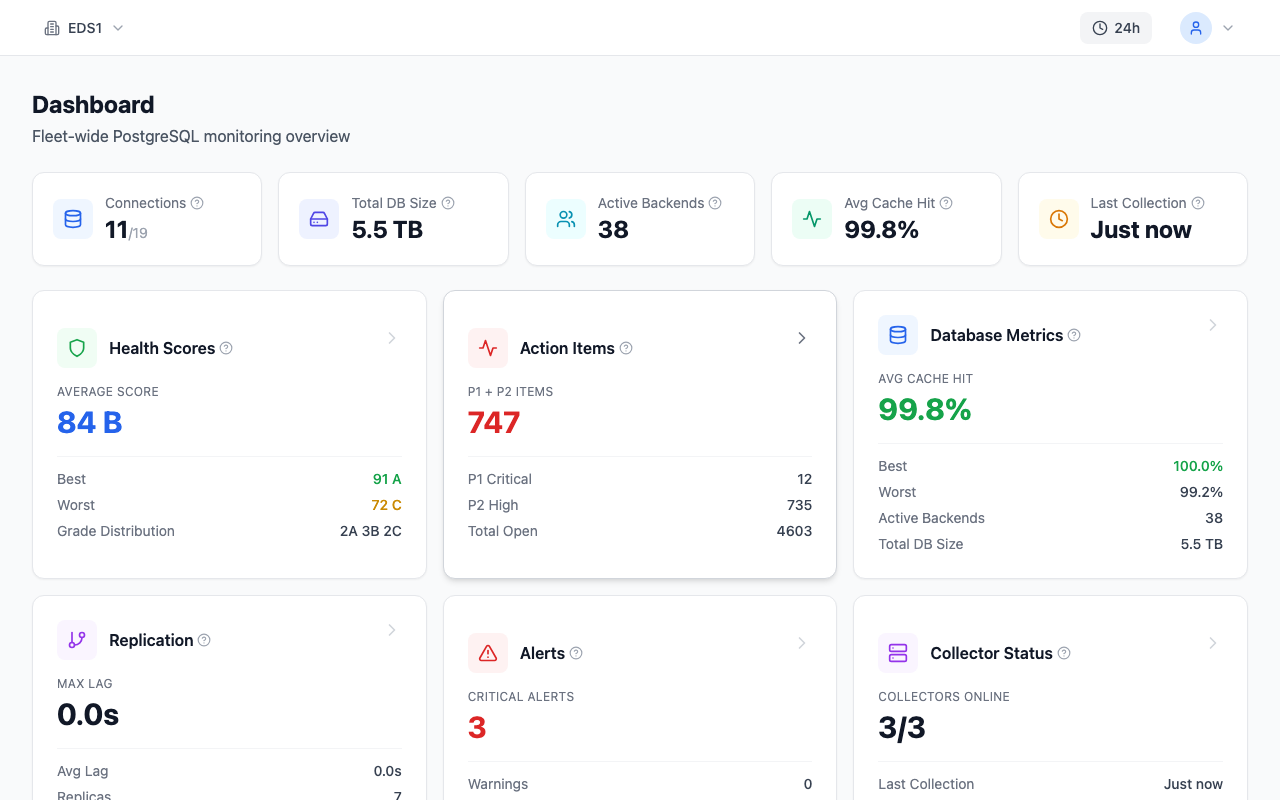
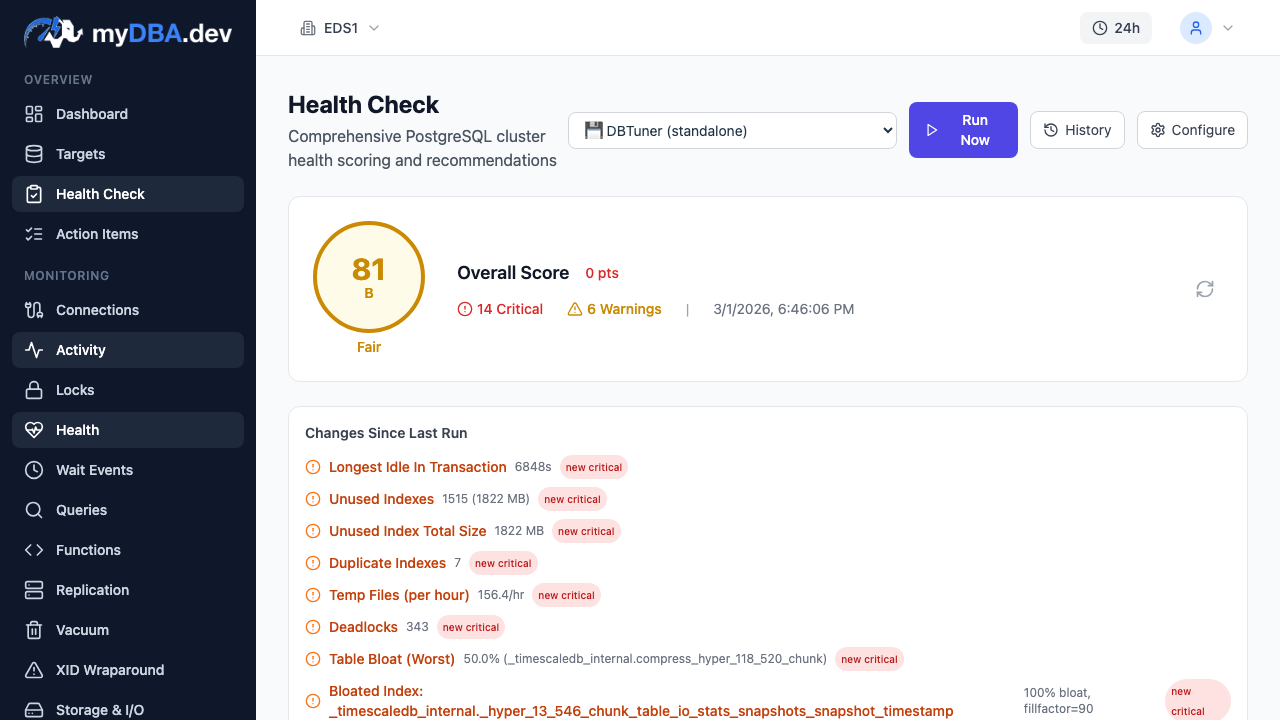
Tools like myDBA.dev can connect to Neon instances using a standard PostgreSQL connection string and provide the depth that Neon's built-in dashboard does not cover: 75+ automated health checks across 10 domains, query performance analysis with historical trends, automatic EXPLAIN plan capture and plan regression detection, index recommendations, and lock chain visualization. This kind of PostgreSQL-specific monitoring matters because serverless does not mean maintenance-free. Your queries still need tuning, your indexes still need management, and your schema still needs attention -- regardless of whether the underlying infrastructure scales automatically.
When Neon Makes Sense
Use Neon when:
- You need database branches for preview environments, CI/CD, or testing
- Your workload is bursty with significant idle periods (development, staging, low-traffic apps)
- You are building a multi-tenant platform with database-per-tenant isolation
- You want serverless economics without maintaining infrastructure
- You are a startup optimizing for developer velocity over raw performance
- You use Vercel and want seamless preview deployment integration
Think twice about Neon when:
- Your workload is steady and always-on (a dedicated instance will be cheaper)
- You need single-digit millisecond query latency consistently
- You depend on extensions not on Neon's supported list
- You need true superuser access or OS-level access to the database server
- You are running high-throughput OLTP (thousands of transactions per second sustained)
- You have strict compliance requirements that mandate infrastructure control
The Verdict
Neon has done something genuinely impressive: built a serverless PostgreSQL that does not feel like a compromise. The branching feature alone is worth evaluating, even if you ultimately run production on a different platform. Scale-to-zero is real, cold starts are fast enough for most use cases, and the pricing is competitive for bursty workloads.
It is not the right choice for every PostgreSQL deployment. Steady production workloads, latency-sensitive applications, and teams that need full PostgreSQL control will be better served by dedicated instances or self-hosted deployments. But for the growing number of use cases where developer experience and cost efficiency matter more than squeezing out every last millisecond of query latency, Neon is the most compelling PostgreSQL option available today.
The Databricks acquisition adds both opportunity and uncertainty. On one hand, it brings significant resources and a commitment to the open source project. On the other hand, acquisitions can shift product direction. For now, Neon is shipping features faster than ever, and the technology stands on its own merits regardless of corporate ownership.
If you have not tried database branching yet, start there. Create a free Neon project, branch your database, break things in the branch, and throw it away. That workflow, once experienced, is hard to give up.