How to read PostgreSQL EXPLAIN ANALYZE output
Read the plan inside-out. Start at the deepest node, compare each node's estimated rows= with its actual rows=, multiply actual time by loops, and use Buffers as the cost signal, since it does not move with machine load. The first node where the estimate goes badly wrong is usually where the plan went wrong.
Key facts
| Fact | Value | |---|---| | EXPLAIN on its own | Shows the plan and the planner's estimates; the statement is not executed (docs) | | ANALYZE | Actually runs the statement and adds actual time, actual rows, loops and Execution Time (docs) | | BUFFERS | Per-node shared/local/temp block counts — on by default when ANALYZE is used, from PostgreSQL 18 (docs) | | VERBOSE | Adds the output column list, schema-qualified names and per-worker detail (docs) | | SETTINGS | Prints planner-related settings that differ from the built-in defaults — the first thing to check when a plan differs between two machines (docs) | | WAL | Write-ahead log records, full-page images and bytes generated; only meaningful for INSERT/UPDATE/DELETE (docs) | | FORMAT JSON | Machine-readable output, one key per field, for tooling rather than eyeballs (docs) | | GENERIC_PLAN | PostgreSQL 16 and later: plan a statement containing $1-style parameters without supplying values, and without running it (docs) | | PostgreSQL 18 output changes | Measured on 18.3 against 17.11: EXPLAIN ANALYZE now prints Buffers with no extra option, actual rows carries two decimal places (it is a per-loop average), and index nodes print an Index Searches: counter | | Fleet data | Across 50 monitored instances, 86.0% fail the auto_explain check — the most-failed check in our performance domain |
Reading a plan
A plan is a tree, printed with children indented under their parents. Execution flows bottom-up: leaves produce rows, parents consume them. So read it the same way. The top-line Execution Time tells you the query is slow; it never tells you which node made it slow.
The method is four questions, asked at every node, starting from the deepest one:
1. How far off was the estimate? Compare rows= in the first bracket with actual rows= in the second. 2. How many times did this node run? loops=. Everything in the second bracket is a per-loop average. 3. Where did the rows go? Rows Removed by Filter, Heap Fetches, Rows Removed by Index Recheck. 4. How many pages did it touch? Buffers.
Buffers deserves the emphasis. Wall-clock milliseconds vary with what else is running on the box, whether the page cache is warm and whether a neighbour is saturating the disk. Block counts do not: the same plan over the same data touches the same number of 8 KB pages whether the machine is idle or on fire. When you are comparing a plan captured at 03:00 against the same query re-run at 09:00, the timings are not comparable and the buffer counts are.
What the two brackets mean
Every node prints the same skeleton:
Node Name (cost=S..T rows=R width=W) (actual time=s..t rows=r loops=l)The first bracket is the planner's guess, printed by plain EXPLAIN too. cost is a pair, not a number: S is the estimated cost of producing the first row, T of producing the last. The gap between them is what tells a Sort (which must consume everything before it can emit anything, so S is high) apart from an Index Scan (which can emit immediately). Under a LIMIT, the startup cost is the one that decides the plan. The units are arbitrary and relative to seq_page_cost, which is 1.0 by default (docs); they are comparable to each other and to nothing outside the plan. width is the estimated average row width in bytes, useful mainly for sanity-checking whether a sort or hash will fit in memory.
The second bracket exists only with ANALYZE, and every figure in it is per loop. That is the trap, and it has its own subsection below.
One worked example
The fixture, so you can reproduce it: a throwaway postgres:18 container (18.3, stock shared_buffers = 128MB, work_mem = 4MB) with max_parallel_workers_per_gather = 0 and jit = off so the plan stays short enough to read. Two tables — orders, 2,000,000 rows and 236 MB, and customers, 200,000 rows and 19 MB — with a B-tree on customers (country_code) and one on orders (customer_id, created_at_utc). refunded is 0.93% of all orders, but 42.9% of the orders belonging to IE customers, because that fixture deliberately correlates the two columns. Both statements were run twice; the second run is pasted verbatim.
EXPLAIN (ANALYZE, BUFFERS)
SELECT o.order_id, o.created_at_utc, c.customer_email_address
FROM orders o
JOIN customers c ON c.customer_id = o.customer_id
WHERE c.country_code = 'IE'
  AND o.status = 'refunded'
ORDER BY o.created_at_utc DESC
LIMIT 20;
Limit (cost=45570.91..45570.96 rows=20 width=38) (actual time=68.223..68.227 rows=20.00 loops=1)
Buffers: shared hit=3616 read=16737
-> Sort (cost=45570.91..45571.40 rows=199 width=38) (actual time=68.222..68.225 rows=20.00 loops=1)
Sort Key: o.created_at_utc DESC
Sort Method: top-N heapsort Memory: 27kB
Buffers: shared hit=3616 read=16737
-> Hash Join (cost=1825.31..45565.61 rows=199 width=38) (actual time=1.703..67.422 rows=8572.00 loops=1)
Hash Cond: (o.customer_id = c.customer_id)
Buffers: shared hit=3616 read=16737
-> Seq Scan on orders o (cost=0.00..43692.00 rows=18400 width=24) (actual time=0.083..63.659 rows=18572.00 loops=1)
Filter: (status = 'refunded'::text)
Rows Removed by Filter: 1981428
Buffers: shared hit=1955 read=16737
-> Hash (cost=1798.06..1798.06 rows=2180 width=30) (actual time=1.615..1.616 rows=2000.00 loops=1)
Buckets: 4096 Batches: 1 Memory Usage: 157kB
Buffers: shared hit=1661
-> Bitmap Heap Scan on customers c (cost=25.19..1798.06 rows=2180 width=30) (actual time=0.210..1.497 rows=2000.00 loops=1)
Recheck Cond: (country_code = 'IE'::text)
Heap Blocks: exact=1657
Buffers: shared hit=1661
-> Bitmap Index Scan on customers_country_idx (cost=0.00..24.64 rows=2180 width=0) (actual time=0.093..0.094 rows=2000.00 loops=1)
Index Cond: (country_code = 'IE'::text)
Index Searches: 1
Buffers: shared hit=4
Planning:
Buffers: shared hit=16
Planning Time: 0.110 ms
Execution Time: 68.247 msLine by line, from the bottom.
Bitmap Index Scan on customers_country_idx — estimated 2,180 rows, produced 2,000, in 4 buffers and 0.094 ms. The estimate is 9% high, which is a good estimate. width=0 because an index scan of this kind produces row locations, not rows.
Bitmap Heap Scan on customers c — the same 2,000 rows, now fetched from the table. Heap Blocks: exact=1657 and no lossy= count means the bitmap held per-tuple detail for every page it needed; 1,657 pages read to return 2,000 rows because those customers are scattered across a 19 MB table. 1.497 ms.
Hash — builds the hash table: 2,000 rows, Batches: 1, Memory Usage: 157kB. One batch means it fitted in memory. More than one would mean a spill, and a spill is a cost you can usually remove.
Seq Scan on orders o — this is where the time and the pages went. 63.659 ms of the query's 68.247 ms, 18,692 buffers, of which 16,737 came from outside shared_buffers even on a warm second run, because the table is 236 MB and shared_buffers is 128 MB. It read all 2,000,000 rows, returned 18,572, and threw away 1,981,428 — Rows Removed by Filter. A sequential scan has no index to navigate with, so every predicate is a filter by definition; the question is whether the discard is worth it. Here 99.1% of the read was wasted.
Hash Join — and here is the interesting number. Estimated rows=199. Actual rows=8572.00. That is a 43× underestimate, and it is not the planner being careless: it costed country_code = 'IE' and status = 'refunded' as independent, multiplied their selectivities, and got 199. In the fixture they are strongly correlated. The planner was not wrong about either column on its own — it was wrong about them together, which is exactly the case extended statistics exist for.
Sort and Limit — top-N heapsort Memory: 27kB. A top-N sort under a LIMIT keeps only 20 rows in memory no matter how many arrive, so this is nearly free. Note that the sort still consumed all 8,572 rows.
Now put it together: the time is in the sequential scan, the row loss is in the sequential scan, and the wrongness is in the join estimate above it. Those are three different statements and the fix follows from the third, not the first. A bad estimate at a deep node compounds upward — every node above it was costed on a row count that was 43× too small, including the decision to hash-join at all.
loops, and why you multiply
Add an index on orders (created_at_utc) to the same fixture and the plan changes shape entirely:
 Limit  (cost=0.85..15552.05 rows=20 width=38) (actual time=0.007..0.532 rows=20.00 loops=1)
   Buffers: shared hit=4571
   ->  Nested Loop  (cost=0.85..134518.76 rows=173 width=38) (actual time=0.006..0.531 rows=20.00 loops=1)
         Buffers: shared hit=4571
         ->  Index Scan Backward using orders_created_idx on orders o  (actual time=0.004..0.495 rows=40.00 loops=1)
               Filter: (status = 'refunded'::text)
               Rows Removed by Filter: 4361
               Index Searches: 1
               Buffers: shared hit=4411
         ->  Index Scan using customers_pkey on customers c  (cost=0.42..0.98 rows=1 width=30) (actual time=0.001..0.001 rows=0.50 loops=40)
               Index Cond: (customer_id = o.customer_id)
               Filter: (country_code = 'IE'::text)
               Rows Removed by Filter: 0
               Index Searches: 40
               Buffers: shared hit=160
 Planning:
   Buffers: shared hit=16
 Planning Time: 0.088 ms
 Execution Time: 0.541 ms
The inner Index Scan using customers_pkey reports actual time=0.001..0.001 rows=0.50 loops=40. It ran 40 times, and produced an average of half a row each time — 20 rows in total. Its total time is 0.001 ms × 40, not 0.001 ms. A node that looks free per loop and runs 50,000 times is not free.
Two further things are worth noticing in that fragment. Rows Removed by Filter: 0 on a node that demonstrably discarded 20 rows is not a bug: it is 20 ÷ 40 loops, rounded. And Index Searches: 40 confirms 40 separate descents of the primary-key index. If you only ever take one habit from this article, take the habit of reading loops before anything else in the second bracket.
The lines that tell you something is wrong
Six lines do most of the diagnostic work. None of them is fatal on its own — each is a ratio worth checking.
Rows Removed by Filter. Divide it by the node's rows. Past roughly 10× it is worth a look; past 100× it is usually a missing index column. The distinction that matters is Filter versus Index Cond: an Index Cond navigated the index and never read the non-matching rows, a Filter read them and judged them afterwards. What Filter means in an EXPLAIN plan has the three reasons a predicate lands in the wrong one — a column absent from the index, an expression or cast the index cannot match, and an operator the index's operator class does not implement.
Heap Fetches on an Index Only Scan. The point of an index-only scan is never touching the table, and it can only do that for pages the visibility map marks all-visible, which is vacuum's job. A non-zero count means vacuum has fallen behind and the scan is paying for the heap anyway. Why COUNT(*) is slow measures exactly this: updating 8.3% of a 5,000,000-row table left 0 of 128,969 pages all-visible and took the same count from 398 ms to 1,236 ms — slower than a plain sequential scan.
Sort Method: external merge Disk: …kB and Batches: above 1. Both mean an operation exceeded its memory budget and wrote work files. Sorts get work_mem; hash nodes get work_mem × hash_mem_multiplier (docs). A HashAggregate reporting Batches: 17 Disk Usage: 14920kB is spilling. UNION versus UNION ALL shows why that is the second question rather than the first: raising work_mem to 64 MB removed the spill entirely and the query went from 751 ms to 754 ms. The de-duplication was the cost, not the spill.
Rows Removed by Index Recheck and lossy= heap blocks. When a bitmap will not fit in work_mem, PostgreSQL degrades entries from per-tuple to per-page, and the heap scan must re-test every row on those pages. What a bitmap heap scan is has the measured case: Heap Blocks: exact=54214 lossy=65923 with 2,194,781 rows removed by recheck, at 320 ms; with work_mem at 64 MB, no lossy blocks, no recheck, 209 ms.
A bad estimate at the deepest node. If a leaf scan estimated 15 rows and produced 8,000, stop reading the plan shape and fix the estimate first — every join strategy and memory allocation above it was chosen on that number. Usually the fix is ANALYZE; when the columns are correlated, as in the worked example above, it is CREATE STATISTICS. How the planner uses table statistics covers both, including the 3,184× underestimate that turned one index scan into a problem.
A Limit whose child produced far more rows than the query returned. OFFSET n does not skip rows cheaply — the server still produces and discards them (docs). In a plan it looks like a Limit returning 20 rows above a scan reporting 100,020. Why OFFSET pagination gets slow measures the curve on a 2,000,000-row table: 4 buffers at OFFSET 0, 2,026 at OFFSET 100000, 10,116 and 57 ms at OFFSET 500000 — against 4 buffers and 0.1 ms for the keyset equivalent at any depth.
Getting the plan in the first place
EXPLAIN ANALYZE executes the statement. On an INSERT, UPDATE or DELETE that means the rows really change. Wrap it:
BEGIN;
EXPLAIN (ANALYZE, BUFFERS) DELETE FROM orders WHERE created_at_utc < '2020-01-01';
ROLLBACK;
It also takes real locks for the real duration, and it pulls pages into shared_buffers, which can evict someone else's working set. On a hot production path, capturing a plan is usually better than re-running one.
auto_explain logs plans from real traffic. It is the only way to get the plan from the execution that was actually slow, with the parameters and statistics it actually had (docs). auto_explain.log_analyze makes those plans carry real row counts and timings, at a measurable cost on short queries. Across 50 monitored instances, 86.0% fail our auto_explain check — it is the most-failed check in the whole performance domain, and it is also the cheapest to fix. Capturing slow query plans with auto_explain covers the settings and the overhead honestly.
GENERIC_PLAN for statements you cannot run. A statement pulled from pg_stat_statements or a driver log is full of $1 placeholders and no values. From PostgreSQL 16, EXPLAIN (GENERIC_PLAN) plans it anyway:
 Finalize Aggregate  (cost=31150.55..31150.56 rows=1 width=8)
   ->  Gather  (cost=31150.33..31150.54 rows=2 width=8)
         Workers Planned: 2
         ->  Partial Aggregate  (cost=30150.33..30150.34 rows=1 width=8)
               ->  Parallel Seq Scan on orders  (cost=0.00..29108.67 rows=416667 width=0)
                     Filter: (status = $1)
There is no ANALYZE here and cannot be — nothing ran. What you get is the plan shape and the estimate the planner would use with no knowledge of the parameter value, which is precisely the plan a prepared statement risks settling on after its first five executions (docs).
Find the slow statement before you plan it. pg_stat_activity answers "what is slow right now" — see finding long-running queries, which also covers why xact_start usually matters more than query_start. pg_stat_statements answers "what is slow in aggregate", with one caveat worth knowing: a statement cancelled by statement_timeout is recorded with calls = 0, so the time it burned before being killed is largely invisible there. The pg_stat_statements guide has the queries. Across 50 monitored instances, 16.0% do not have the extension loaded at all.
Common rewrites
Once you can read a plan, most fixes are small and dull.
INversusANYis not one of them — they parse to the same node. IN vs ANY shows identicalIndex Cond: (customer_id = ANY (...))output for both, and points at the difference that does matter:NOT INagainst a nullable column is both wrong and slower thanNOT EXISTS(148 ms against 54 ms in that measurement, with the fast one also being the correct one).- Predicates wrapped in a function or a cast cannot navigate an index, joins in the wrong order multiply work, and
SELECT *inflates everywidth=in the tree. Query anti-patterns collects the recurring ones. - When the plan shape is a join-strategy problem rather than a predicate problem — a nested loop with far too many
loops, a hash spilling to disk — join optimization is the next stop. - For the general toolkit of turning a read plan into a changed query, see query rewriting techniques and the wider query analysis guide.
One caution about all of them. A plan tells you what happened for one execution, with one set of parameter values, against the statistics and cache state of that moment. It is evidence, not a law. Before changing anything, check that the plan you are reading is representative: run it again with a different parameter value, and compare its buffer counts with the ones from a captured production plan if you have one. The rewrite that fixes the plan in front of you and regresses the other nineteen parameter values is a common and unpleasant outcome, and the only defence is having more than one plan to look at.
How MyDBA covers this
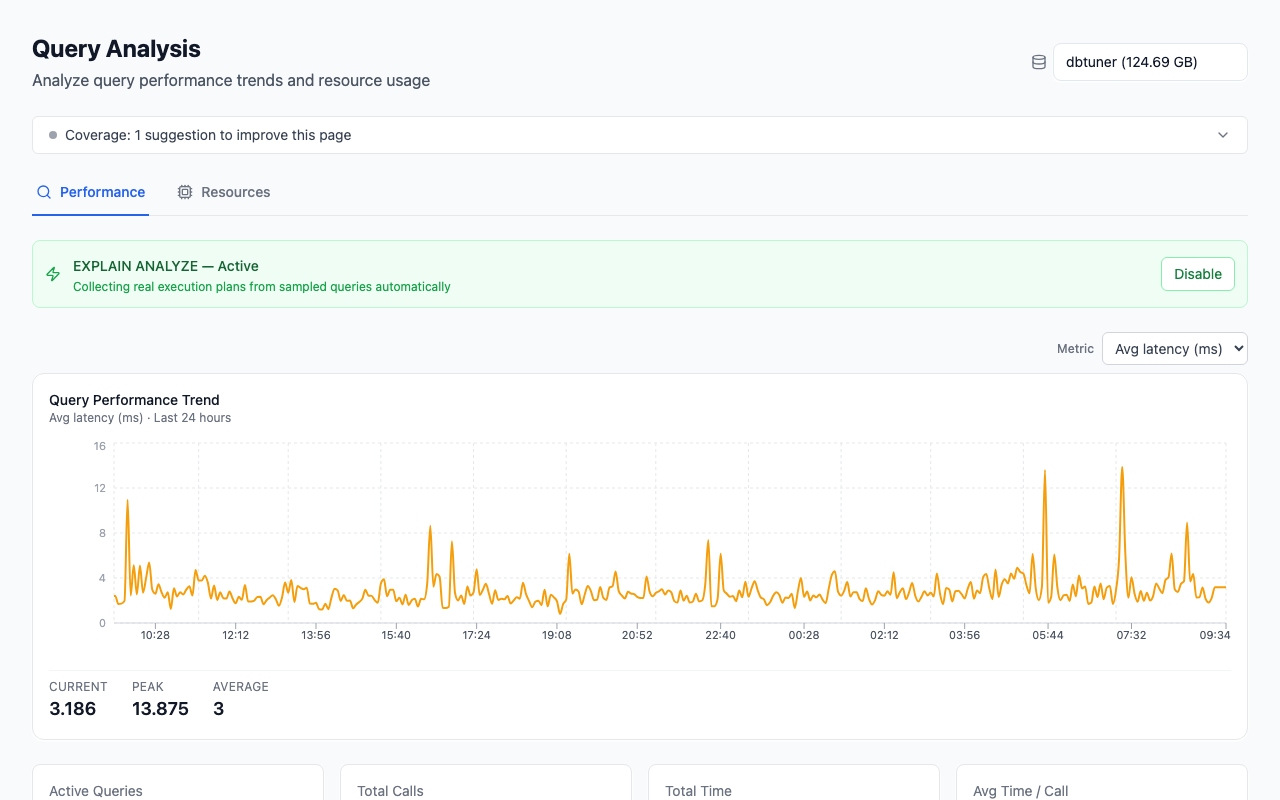
The Queries page ranks normalised query templates by total time over the window, not by mean — a 2 ms query called 400,000 times is a bigger problem than a 4-second report nobody runs. The Regressed lens compares each template's recent 15-minute mean against its own 24-hour baseline rather than a global threshold, which is what catches "it got slower and nothing changed". Across 50 monitored instances, 54.0% currently show at least one plan regression, so this is a common state rather than an exotic one.
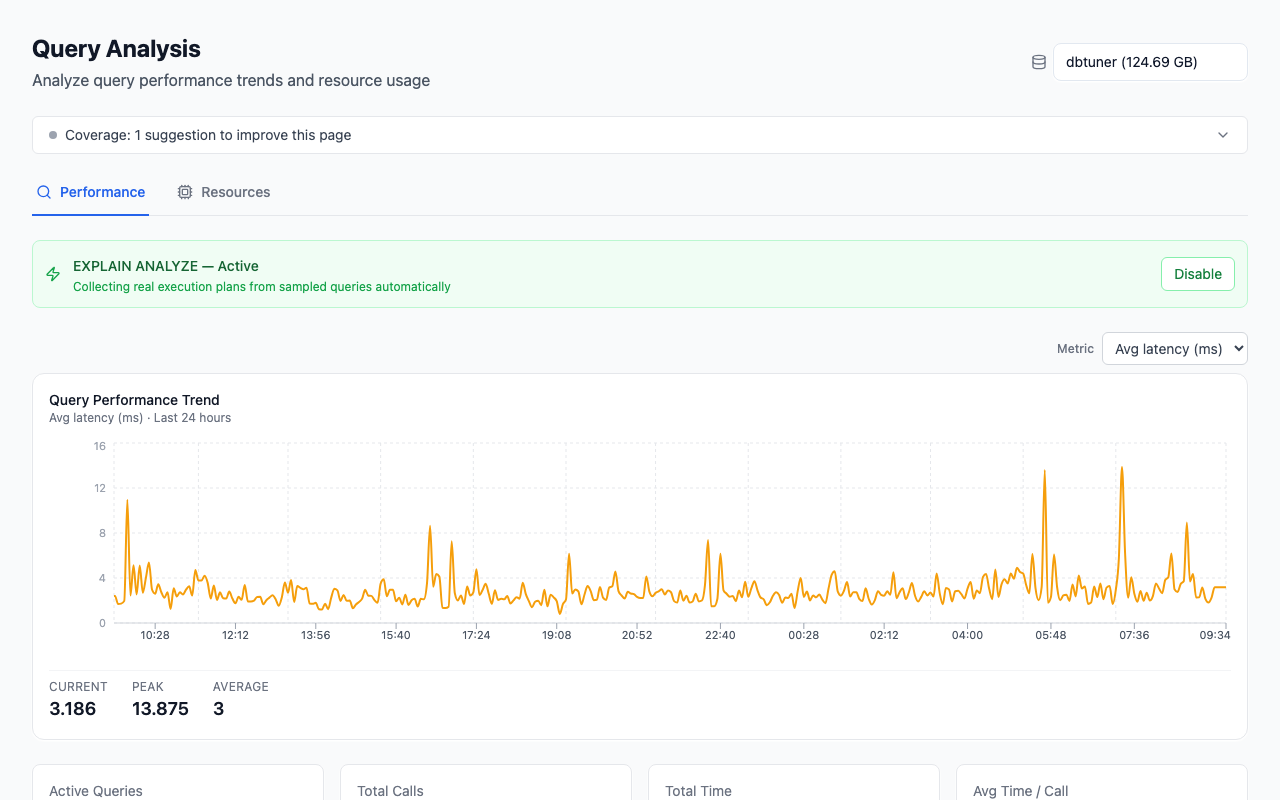
The collector gathers EXPLAIN plans on a coverage-first schedule: each cycle it orders candidate templates so never-planned queries come first, then the stalest-planned, re-planning any one template at most once every 24 hours by default. That replaced a fixed "top 50 every cycle" approach which re-planned the same hot queries hundreds of times a day while the long tail never got a plan at all — measured at 6% template coverage on one busy instance. Separately, and only where a database is not already running auto_explain with analyze, it runs real EXPLAIN ANALYZE against executable statements captured with their real parameter values, so the actual-versus-estimated rows you read came from an execution rather than a re-run. Across 34 instances where we can evaluate it, 26.5% still fail the explain-coverage check — collection being configured is not the same as collection being complete.
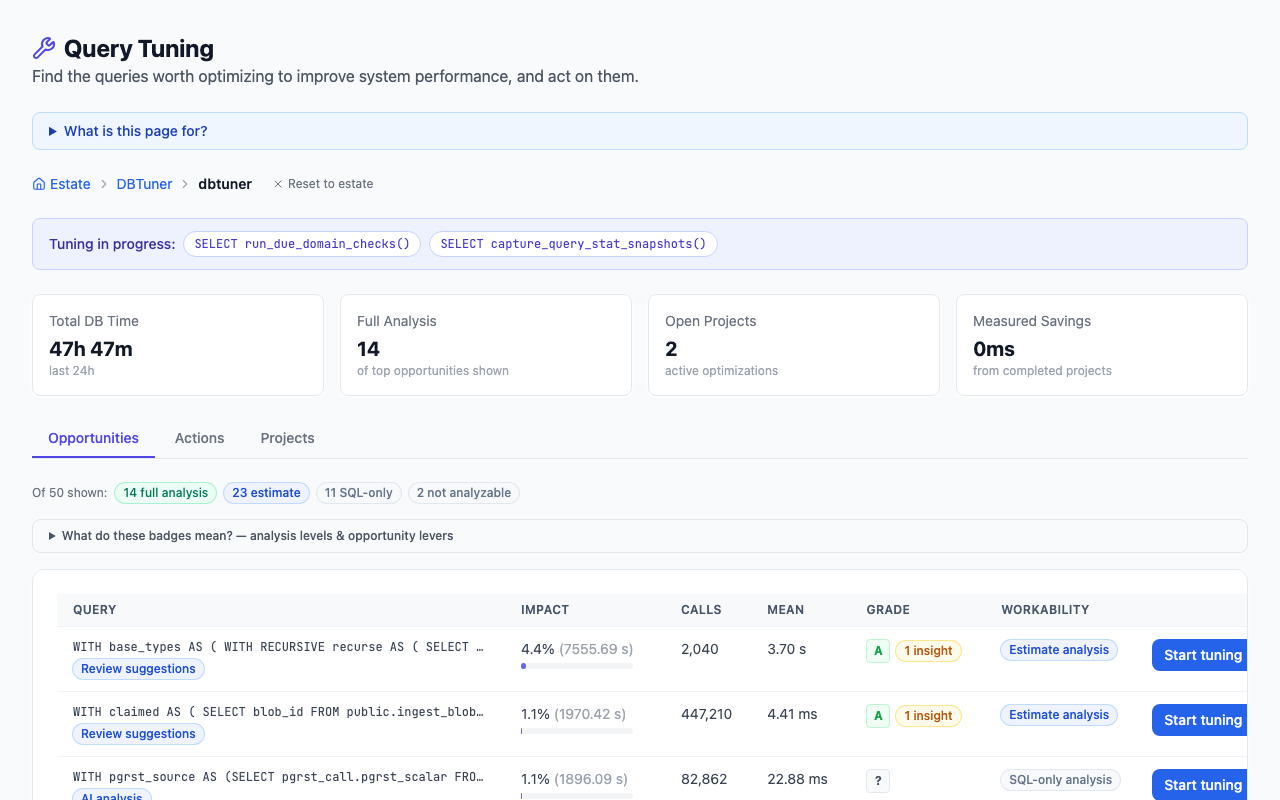
The Tuning hub ranks opportunities by absolute time in the period, and labels each one with how much evidence exists behind it: Full analysis where a real analyze-level plan or an executable sample exists, Estimate-only where there is just a costed plan, AI analysis available where there is neither. That label is the honest part — an opportunity with no plan behind it is presented as a suggestion, not a diagnosis. Findings carry a source chip showing whether a rule or the model produced them.
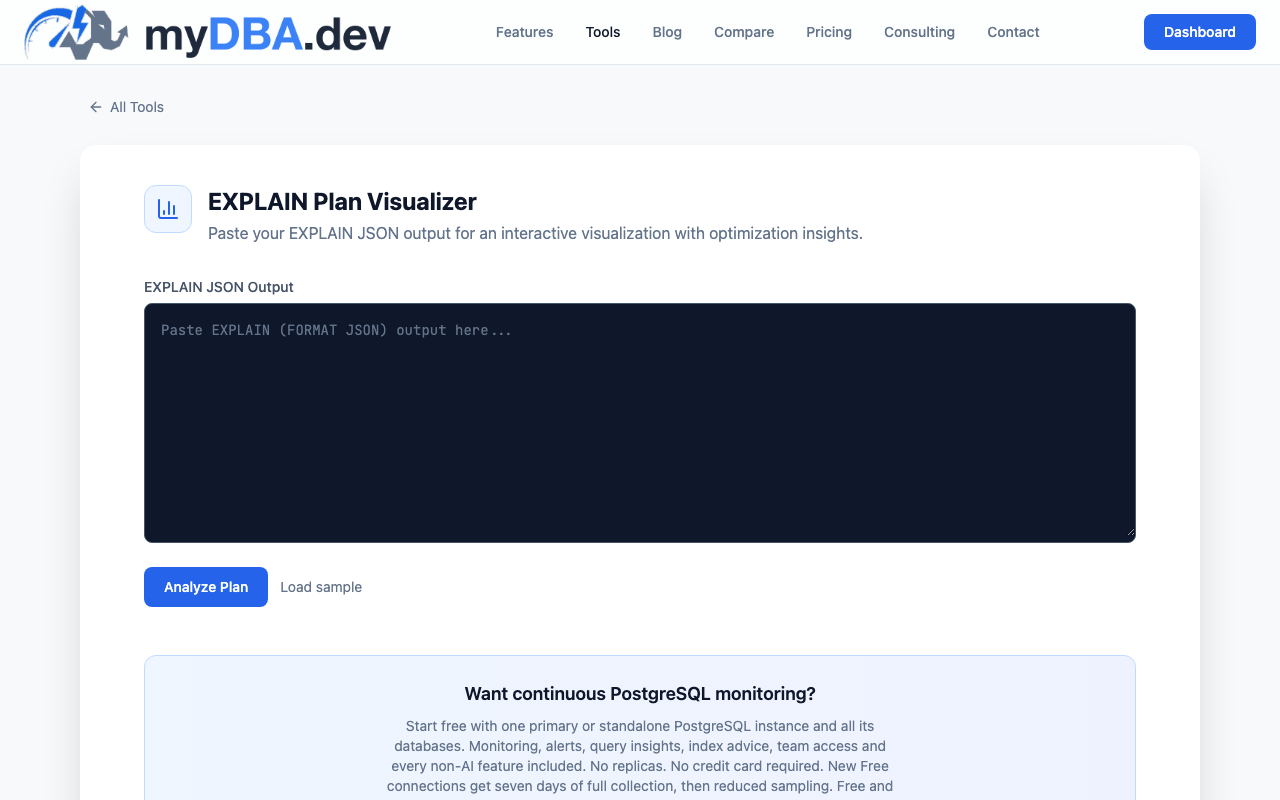
If you just want to read one plan, the visualizer at /tools/explain-plan-visualizer is free and needs no account: paste text or JSON output and it renders Plan Tree, Timing Waterfall, Flame Graph and Cost vs Actual views, doing the loops multiplication and the estimate-versus-actual arithmetic for you. It shows you where the time and the rows went; what to change is still your call.
FAQ
Does EXPLAIN ANALYZE run the query?
Yes. ANALYZE executes the statement and reports what happened, including on INSERT, UPDATE and DELETE, where the changes are real. Wrap those in BEGIN; … ROLLBACK;. Plain EXPLAIN does not execute anything, and neither does EXPLAIN (GENERIC_PLAN).
What is the difference between EXPLAIN and EXPLAIN ANALYZE?
EXPLAIN shows the plan the planner chose and its estimates: cost, rows, width. EXPLAIN ANALYZE runs the statement and adds the measured actual time, actual rows and loops next to those estimates, plus Rows Removed by Filter, Heap Fetches and the other execution counters, which do not exist without a real execution. From PostgreSQL 18 it also prints Buffers without being asked.
Why is the estimated row count so different from the actual?
Three common causes: statistics are stale, so run ANALYZE; the predicate is on correlated columns and the planner multiplied their selectivities as though they were independent, which CREATE STATISTICS fixes; or the value is outside the sampled histogram. The worked example in this guide is the second case — a 43× underestimate from two columns that were not independent.
What does loops mean in a plan?
loops is how many times that node was executed, typically once per row from the outer side of a join. Everything else in the second bracket — actual time, actual rows, and the removed-row counters — is an average per loop, printed in PostgreSQL 18 to two decimal places. Multiply by loops for totals. This is the single most common misreading of a plan.
How do I read a plan without the database in front of me?
Paste the text or JSON into a visualizer — ours is at /tools/explain-plan-visualizer and needs no account. To get a plan for a parameterised statement you cannot execute, EXPLAIN (GENERIC_PLAN) on PostgreSQL 16 or later returns the plan shape without running it. To have the plan from the moment the query was slow already waiting for you, configure auto_explain before you need it.
Run the free PostgreSQL health check against your own instance to see which of these apply to you.
Last verified against PostgreSQL 18, 2026-09-17.