12 Free PostgreSQL Tools That Run Entirely in Your Browser
12 Free PostgreSQL Tools That Run Entirely in Your Browser
The Problem
PostgreSQL developers regularly need to parse EXPLAIN output, format SQL, convert connection strings, generate pg_hba.conf rules, lint migrations for safety, and a dozen other small tasks. Each one sends you to a different website, CLI tool, or Stack Overflow answer. Most online tools require pasting your SQL or connection details into someone else's server — an uncomfortable trade-off when you are working with production queries or real credentials.
The alternative is installing local tools: pgFormatter for SQL formatting, sqlfluff for linting, custom scripts for connection string parsing. Each requires installation, configuration, and the context switch of leaving your browser. For tasks you perform a few times a week, the overhead of maintaining local tooling often means you just do it manually — reformatting SQL by hand, eyeballing EXPLAIN output, guessing at pg_hba.conf syntax.
What you want is a set of tools that are immediately available, require no installation, handle the common PostgreSQL tasks, and never send your data anywhere. Browser-based tools with client-side processing fit this exactly: open a URL, paste your input, get results. No accounts, no API calls, no data leaving your machine.
The Tools
Query and Performance
1. EXPLAIN Plan Visualizer — Paste raw EXPLAIN (ANALYZE, BUFFERS, FORMAT JSON) output and get an interactive tree view of the query plan. Each node shows its actual time, rows, and buffer usage. A flame graph view highlights where time is spent proportionally. The bottleneck analysis identifies the slowest nodes and generates specific SQL recommendations — "Add an index on orders.customer_id to eliminate the sequential scan on orders (estimated 340ms savings)." Supports both JSON and text format EXPLAIN output.
2. SQL Formatter — Paste messy SQL and get consistently formatted output. Handles SELECT, INSERT, UPDATE, DELETE, CREATE TABLE, and CTE queries. Customizable indentation (2 or 4 spaces, tabs), keyword casing (UPPER, lower, Capitalize), and comma placement (leading or trailing). Useful for code reviews where formatting inconsistencies distract from logic changes, or for cleaning up auto-generated SQL from ORMs.
3. Index Advisor — Paste one or more SQL queries and get heuristic-based index recommendations. The tool parses WHERE clauses, JOIN conditions, and ORDER BY expressions to suggest B-tree indexes that would benefit the query. It identifies equality predicates (good for leading index columns), range predicates (better as trailing columns), and multi-column opportunities. Not a replacement for pg_stat_statements analysis, but a fast way to sanity-check index coverage for a specific query.
Configuration and Security
4. PostgreSQL Config Tuner — Enter your server specs (RAM, CPU cores, disk type, connection count) and workload type (OLTP, data warehouse, mixed, web application) and get optimized postgresql.conf settings. Covers shared_buffers, effective_cache_size, work_mem, maintenance_work_mem, wal_buffers, max_wal_size, checkpoint_completion_target, random_page_cost, and effective_io_concurrency. Each recommendation includes an explanation of why that value was chosen for your hardware.
5. pg_hba.conf Generator — Build authentication rules with a visual form instead of editing the raw file. Select connection type (local, host, hostssl), database, user, address range, and auth method (scram-sha-256, md5, cert, reject). Add multiple rules, drag to reorder (order matters in pg_hba.conf — first match wins), and export the complete file. Catches common mistakes like putting a reject-all rule before specific allow rules.
6. Connection String Builder — Enter connection parameters once and get the string in 6 formats: PostgreSQL URI (postgresql://user:pass@host:5432/db), keyword/value (host=... port=... dbname=...), JDBC (jdbc:postgresql://host:5432/db), psql command, pgAdmin server config, and environment variables (PGHOST, PGPORT, PGDATABASE). Also works in reverse — paste any format and it parses the components out for conversion. Handles SSL parameters, sslmode, application name, and connection timeouts.
Operations and Maintenance
7. Table Bloat Estimator — Paste pg_stat_user_tables output or pgstattuple results for a table and get a bloat estimate with context. Shows estimated dead space, bloat ratio, and whether the table is a candidate for VACUUM, VACUUM FULL, or pg_repack. Includes the specific SQL commands with appropriate options for each remediation strategy, along with trade-offs (e.g., VACUUM FULL reclaims the most space but takes an exclusive lock for the entire duration).
8. Lock Chain Visualizer — Paste the output of a pg_locks join query and see the lock dependency graph rendered visually. Blocked sessions point to the session holding the conflicting lock, which may itself be blocked by another session. The tree view makes it easy to find the root blocker in a chain of 5+ waiting sessions — something that is nearly impossible to determine from the raw pg_locks rows. Highlights the root blocker and shows lock types (AccessExclusiveLock, RowExclusiveLock, etc.) at each edge.
9. Migration Linter — Paste a SQL migration and get warnings about unsafe operations. Checks for: ALTER TABLE adding a column with a non-null default (rewrites the table in PG < 11), missing IF NOT EXISTS on CREATE statements, DROP COLUMN without confirming no dependent views, missing explicit transaction blocks, and CREATE INDEX without CONCURRENTLY. Each warning includes the severity (error, warning, info), the specific line, and a suggested fix.
Schema and Development
10. RLS Policy Builder — Generate Row Level Security policies from templates. Select a common pattern (tenant isolation, role-based access, ownership-based, time-based), configure the parameters (tenant column, role names, owner column), and get the complete CREATE POLICY statements for SELECT, INSERT, UPDATE, and DELETE. Includes the ALTER TABLE ... ENABLE ROW LEVEL SECURITY and FORCE ROW LEVEL SECURITY commands that are easy to forget.
11. Data Type Picker — Browse all PostgreSQL data types with storage sizes, value ranges, and usage recommendations. Searchable and filterable by category (numeric, text, date/time, geometric, network, JSON, array). Each type includes common pitfalls — for example, money type uses locale-dependent formatting and should generally be avoided in favor of numeric(12,2). Useful when you know you need "some kind of integer" but are not sure whether smallint, integer, or bigint is appropriate for your range.
12. Cron Expression Builder — Build pg_cron schedule expressions with a visual editor. Select minutes, hours, day of month, month, and day of week using dropdowns or specific values. See the next 10 scheduled run times to verify the expression matches your intent. Catches common mistakes like scheduling a job for "February 30th" or using 7 for Sunday (valid in some cron implementations, not others).
How myDBA.dev Shows It
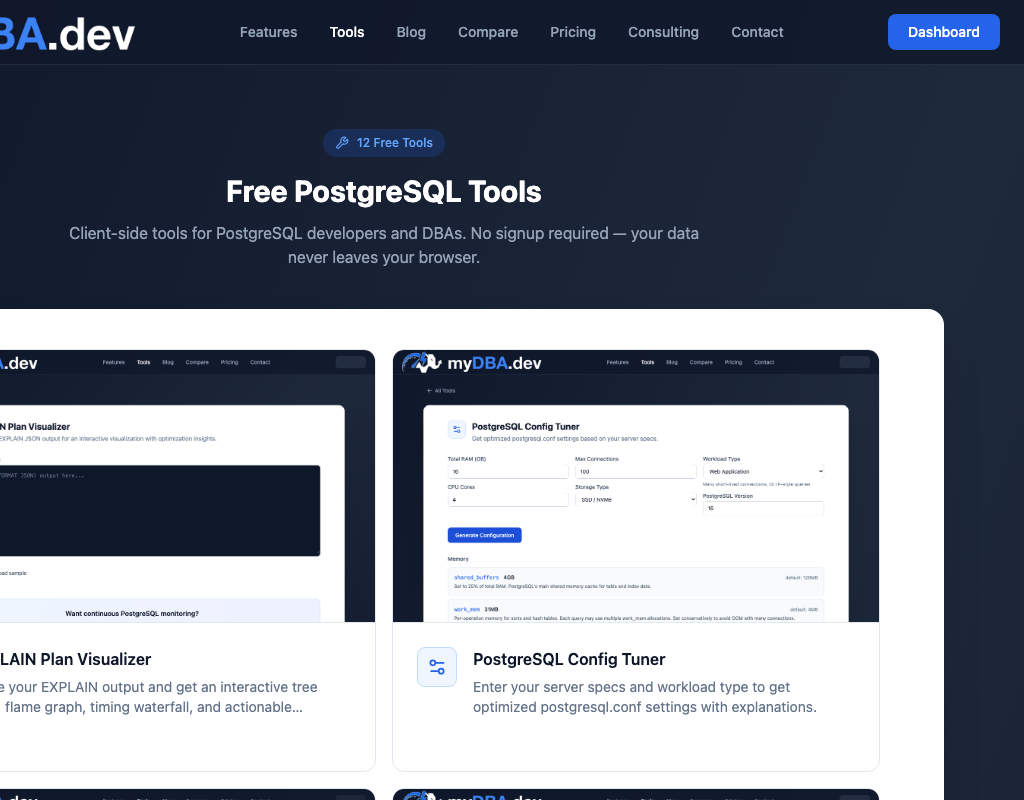
All 12 tools live at mydba.dev/tools, organized into four categories: Query and Performance, Configuration and Security, Operations and Maintenance, and Schema and Development. Each tool has a consistent interface: input area on the left, results on the right, with copy-to-clipboard for all generated output.
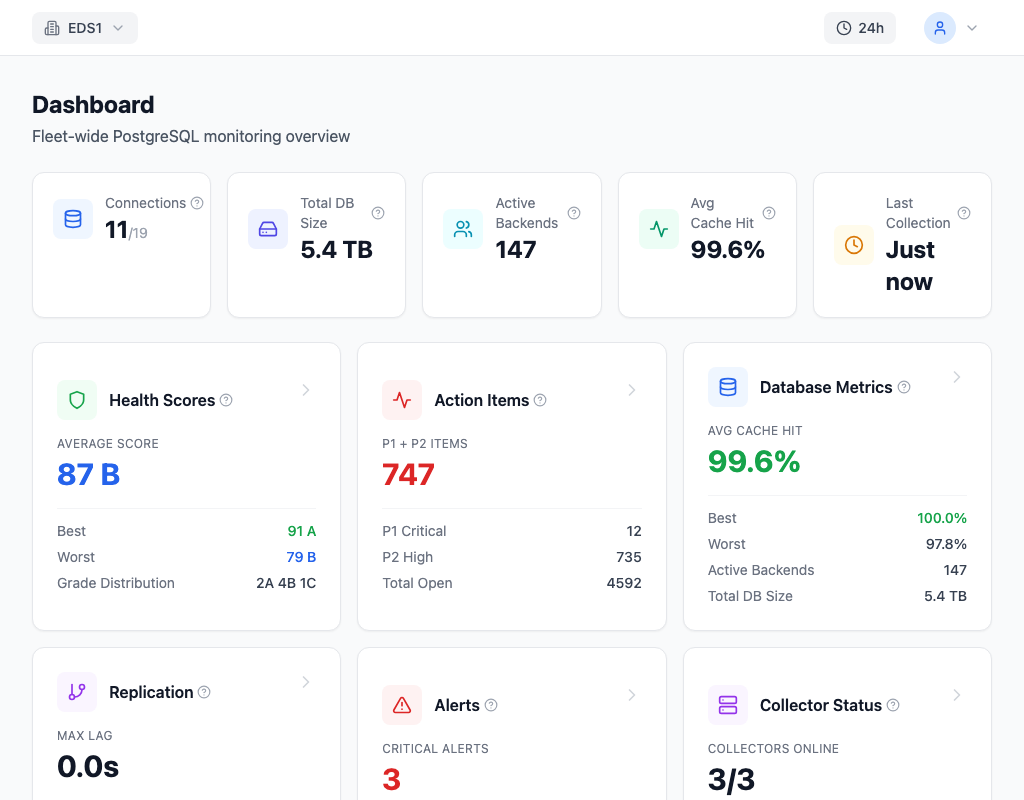
The EXPLAIN Plan Visualizer is the most complex tool. It parses both JSON and text format plans, renders the execution tree with proportional timing bars, and generates specific optimization recommendations based on the plan structure. Sequential scans on large tables, nested loops with high row counts, and sort operations spilling to disk all produce targeted suggestions.
How They Work
Every tool runs entirely in the browser. No data is sent to any server. The page loads the JavaScript, and all parsing, analysis, and rendering happens client-side. You can verify this by opening browser DevTools and watching the Network tab — no requests are made after the initial page load.
No signup required. No usage limits. No feature gating. The tools are free, permanently.
Why Free Tools Matter
PostgreSQL's ecosystem benefits when common tasks are easier. A developer who can quickly visualize an EXPLAIN plan catches performance problems earlier. A DBA who can generate a correct pg_hba.conf rule does not accidentally lock themselves out of the database. A team that lints their migrations before applying them avoids the 4 AM "ALTER TABLE took an exclusive lock on a 500 million row table" incident.
myDBA.dev provides these tools as a contribution to the PostgreSQL community — useful regardless of whether you use the monitoring product. Good tooling makes better PostgreSQL users, and better PostgreSQL users build better systems.