PostGIS After pg_upgrade: Fixing Version Mismatches and Broken Functions
PostGIS After pg_upgrade: Fixing Version Mismatches and Broken Functions
The Problem
pg_upgrade migrates your PostgreSQL catalog -- system tables, schemas, data files -- but it does not touch extension shared libraries. After upgrading from PostgreSQL 15 to PostgreSQL 16, the catalog entries for PostGIS still reference the old .so files that were compiled against PG 15. Those files no longer exist in the new PG 16 library directory. The result: every C-implemented PostGIS function fails on the first call.
The error messages vary depending on the platform and linker. You might see could not access file "$libdir/postgis-3": No such file or directory, or undefined symbol: lwgeom_geos_error if the old library happens to exist but was compiled against a different PostgreSQL ABI. Some functions still work -- pure SQL wrapper functions that do not call into the C library -- while others break. This partial failure is worse than a complete outage because it passes basic smoke tests. SELECT PostGIS_Full_Version() might succeed (it is a SQL function that reads catalog metadata), but SELECT ST_Contains(a.geom, b.geom) fails because it calls the C implementation.
A second, subtler variant of this problem is the version mismatch. After installing the correct PostGIS packages for the new PostgreSQL version, the shared library on disk is newer than the version recorded in the extension catalog. Running SELECT default_version, installed_version FROM pg_available_extensions WHERE name = 'postgis' shows default_version = '3.5.0' and installed_version = '3.4.0'. PostGIS is technically functional at this point -- the old function signatures still work -- but you are running with outdated function definitions, missing bug fixes, and potentially incompatible behavior between the library version and the SQL definitions.
Both problems share the same root cause: pg_upgrade treats extensions as data, not as software. It faithfully copies the catalog entries that say "PostGIS 3.4.0 is installed" without checking whether PostGIS 3.4.0 actually exists in the target cluster's library path.
How to Detect It
Check the installed version against the available version for all PostGIS-related extensions:
SELECT name, default_version, installed_version,
    CASE WHEN default_version != installed_version
         THEN 'UPGRADE AVAILABLE'
         ELSE 'up to date'
    END AS status
FROM pg_available_extensions
WHERE name LIKE 'postgis%'
ORDER BY name;
Any row where status is UPGRADE AVAILABLE means the catalog is behind the library on disk. This is the version mismatch that pg_upgrade leaves behind.
To check whether PostGIS is actually functional -- not just cataloged -- call a C-implemented function:
-- This calls the C library. If it fails, the shared library is broken or missing.
SELECT ST_AsText(ST_MakePoint(0, 0));
If that returns POINT(0 0), the library is loaded. If it throws a could not access file or undefined symbol error, the shared library path is broken.
Check for the full version string, which reports both the SQL and library versions:
SELECT PostGIS_Full_Version();This output shows the GEOS, PROJ, and GDAL versions alongside the PostGIS version. If the SQL version and library version differ in this output, you have a partial mismatch that needs resolution.
To look for orphaned functions left in the public schema after a broken upgrade:
SELECT proname, pronamespace::regnamespace
FROM pg_proc
WHERE proname LIKE 'st_%'
  AND pronamespace = 'public'::regnamespace
ORDER BY proname
LIMIT 20;
PostGIS functions should live in the public schema via the extension. If this query returns results, and those functions are not from a deliberate user-defined override, it can indicate a corrupted extension state where functions were manually recreated outside the extension framework.
How myDBA.dev Shows It
myDBA.dev's PostGIS monitoring page displays the installed PostGIS version, the underlying library versions (GEOS, PROJ, GDAL), and a count of installed spatial functions. When the extension version is outdated or the library version does not match the SQL version, the health check flags it immediately -- no need to run detection queries across every database in the cluster.
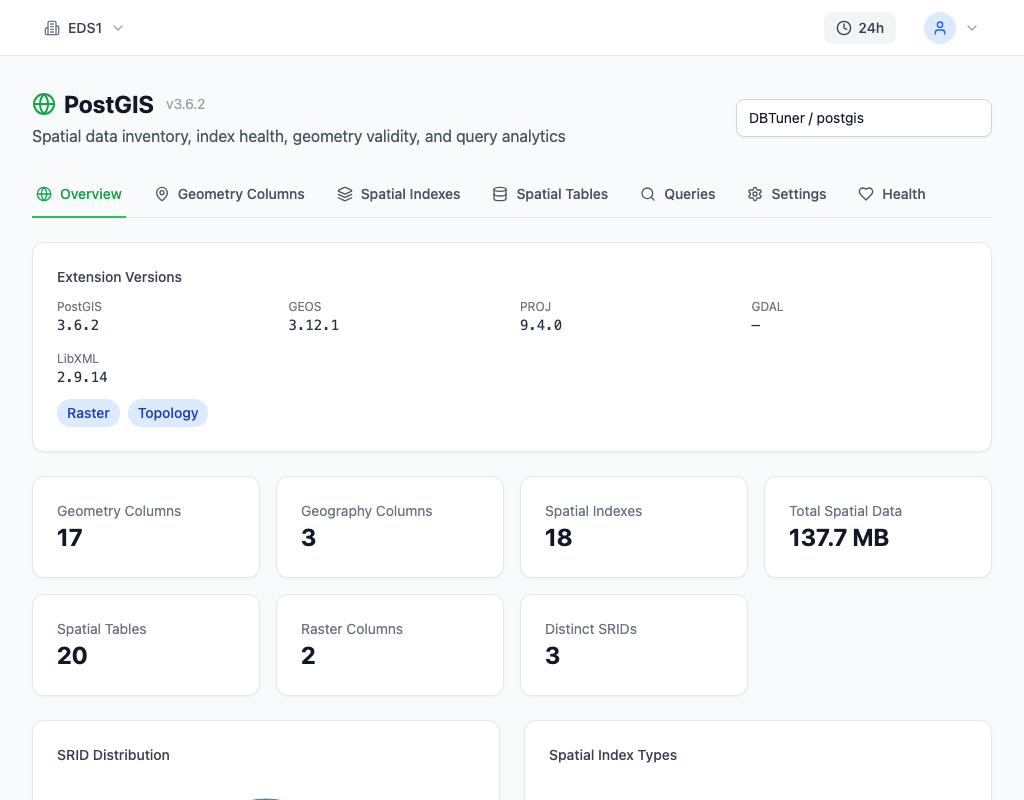
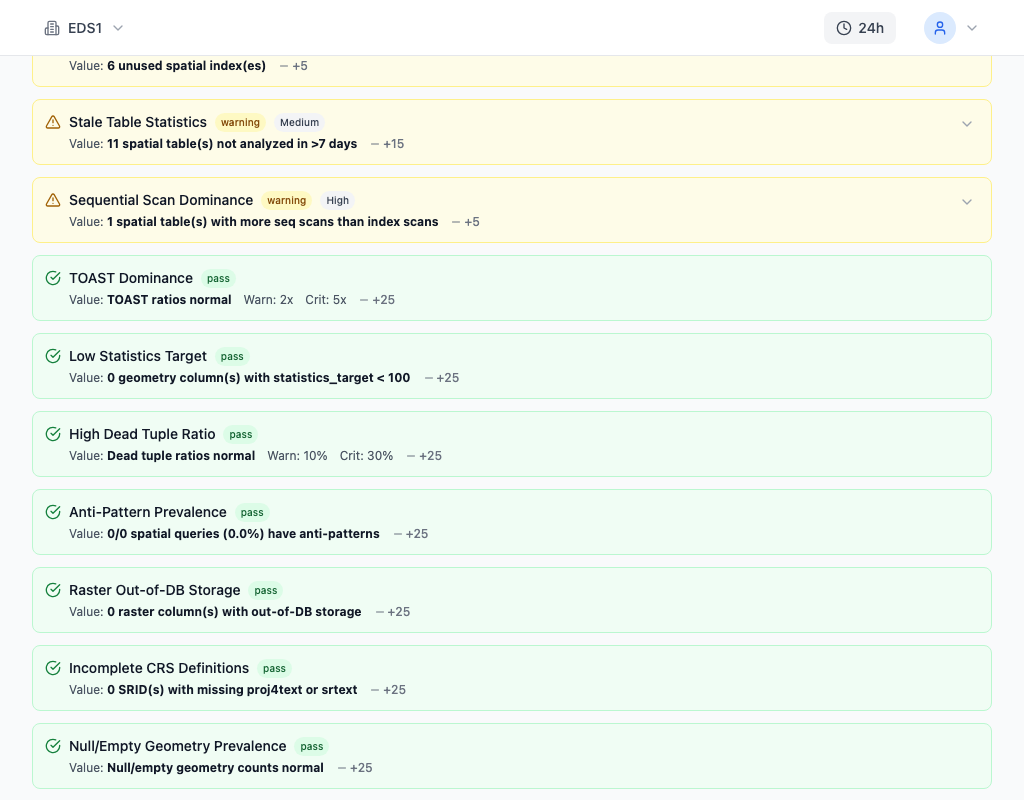
The Health Check panel surfaces version mismatches as a specific warning. If installed_version does not match default_version for any PostGIS extension, or if the library reports a different version than the catalog, it appears as a health check finding with the exact versions and the recommended fix.
How to Fix It
If PostGIS is functional but outdated (version mismatch), update the extension in place:
-- Update PostGIS and all related extensions
ALTER EXTENSION postgis UPDATE;
ALTER EXTENSION postgis_topology UPDATE;
ALTER EXTENSION postgis_raster UPDATE;

-- Verify the update
SELECT PostGIS_Full_Version();
ALTER EXTENSION ... UPDATE runs the upgrade scripts that ship with PostGIS. These scripts add new functions, modify existing function signatures, and update catalog metadata to match the library version. This is safe to run in production -- PostGIS upgrade scripts are designed to be non-destructive and handle the transition between adjacent versions.
If the shared library is completely broken (missing .so file, ABI mismatch), the extension cannot be updated because the C functions needed by the upgrade script are not callable. In this case, you must reinstall:
-- Nuclear option: drop and recreate (CASCADES to dependent objects)
DROP EXTENSION postgis CASCADE;
CREATE EXTENSION postgis;Warning: CASCADE drops every object that depends on PostGIS -- views, functions, indexes on geometry columns, geography columns themselves. You must recreate those objects after reinstalling the extension. Before running this, inventory the dependent objects:
SELECT classid::regclass, objid, deptype
FROM pg_depend
WHERE refclassid = 'pg_extension'::regclass
  AND refobjid = (SELECT oid FROM pg_extension WHERE extname = 'postgis');
For databases with extensive PostGIS dependencies, the ALTER EXTENSION UPDATE path is strongly preferred. Only use DROP CASCADE as a last resort when the library is genuinely unloadable.
Run the update in every database in the cluster that has PostGIS installed. pg_upgrade migrates all databases, so every one of them has the stale catalog entries:
-- Check which databases have PostGIS
SELECT datname FROM pg_database
WHERE datallowconn AND datname NOT IN ('template0')
ORDER BY datname;
Connect to each and run ALTER EXTENSION postgis UPDATE.
How to Prevent It
The fix is a post-upgrade checklist that runs after every pg_upgrade:
1. Install PostGIS packages for the new PostgreSQL version before running pg_upgrade. On Debian/Ubuntu: apt install postgresql-16-postgis-3. On RHEL: dnf install postgis35_16. The package version must match both the PostGIS major version and the PostgreSQL major version.
2. Run ALTER EXTENSION postgis UPDATE in every database immediately after pg_upgrade completes.
-- After every pg_upgrade, run this in each database:
ALTER EXTENSION postgis UPDATE;
ALTER EXTENSION postgis_topology UPDATE;
ALTER EXTENSION postgis_raster UPDATE;
3. Verify the full version string to confirm the library and SQL definitions match:
SELECT
    current_setting('server_version') AS pg_version,
    PostGIS_Lib_Version() AS postgis_version,
    PostGIS_GEOS_Version() AS geos_version,
    PostGIS_Proj_Version() AS proj_version;
4. Test a C-implemented function to confirm the shared library loads correctly:
SELECT ST_AsText(ST_Buffer(ST_MakePoint(0, 0)::geography, 100));If this returns a polygon, PostGIS is fully functional. If it throws a library error, the shared library installation is incomplete.
Script this checklist and run it as part of your upgrade automation. The pg_upgrade documentation mentions ALTER EXTENSION ... UPDATE in a brief note, but it is not enforced -- making it easy to miss in manual upgrades. Automated post-upgrade scripts eliminate this class of problem entirely.